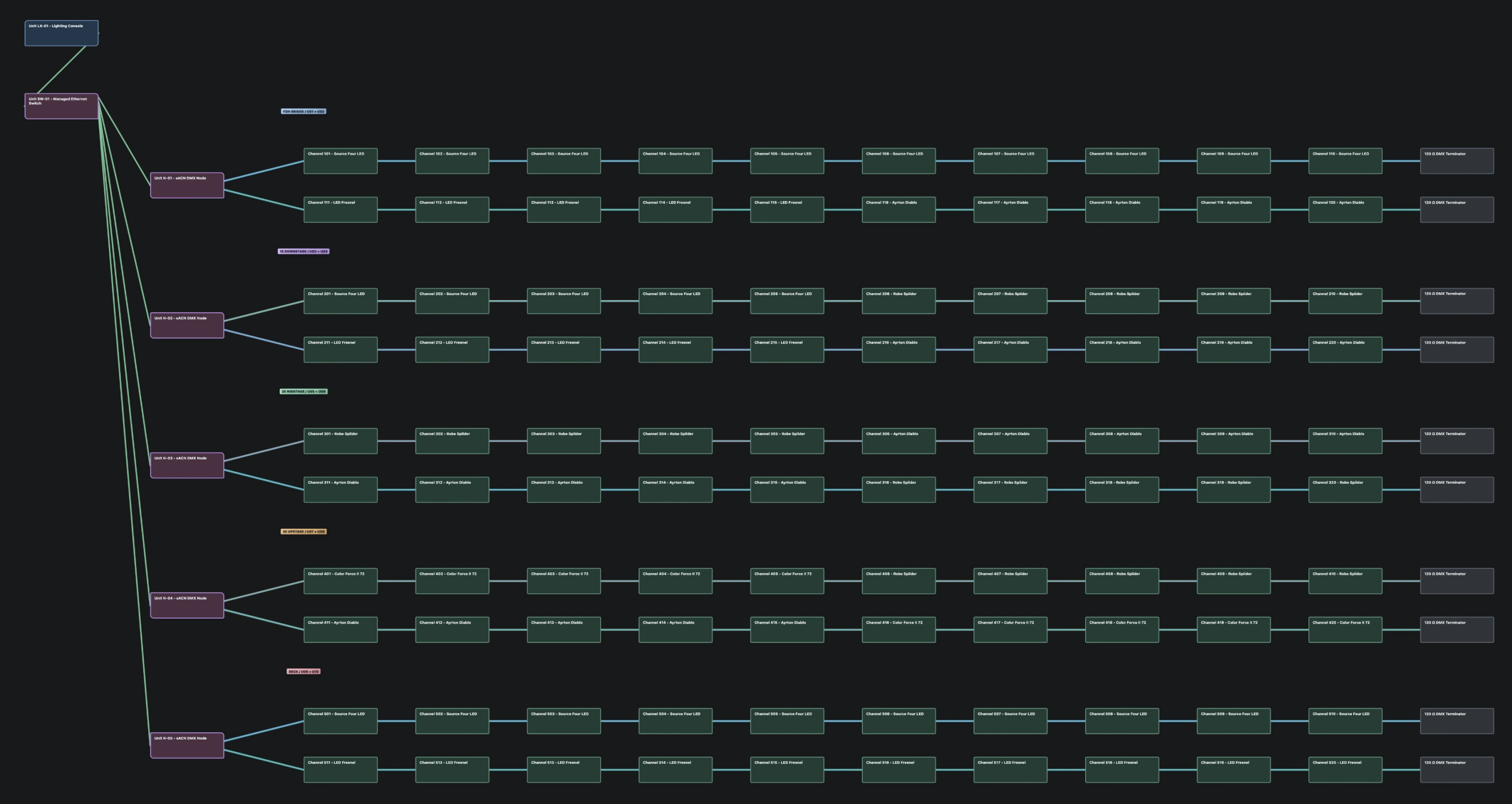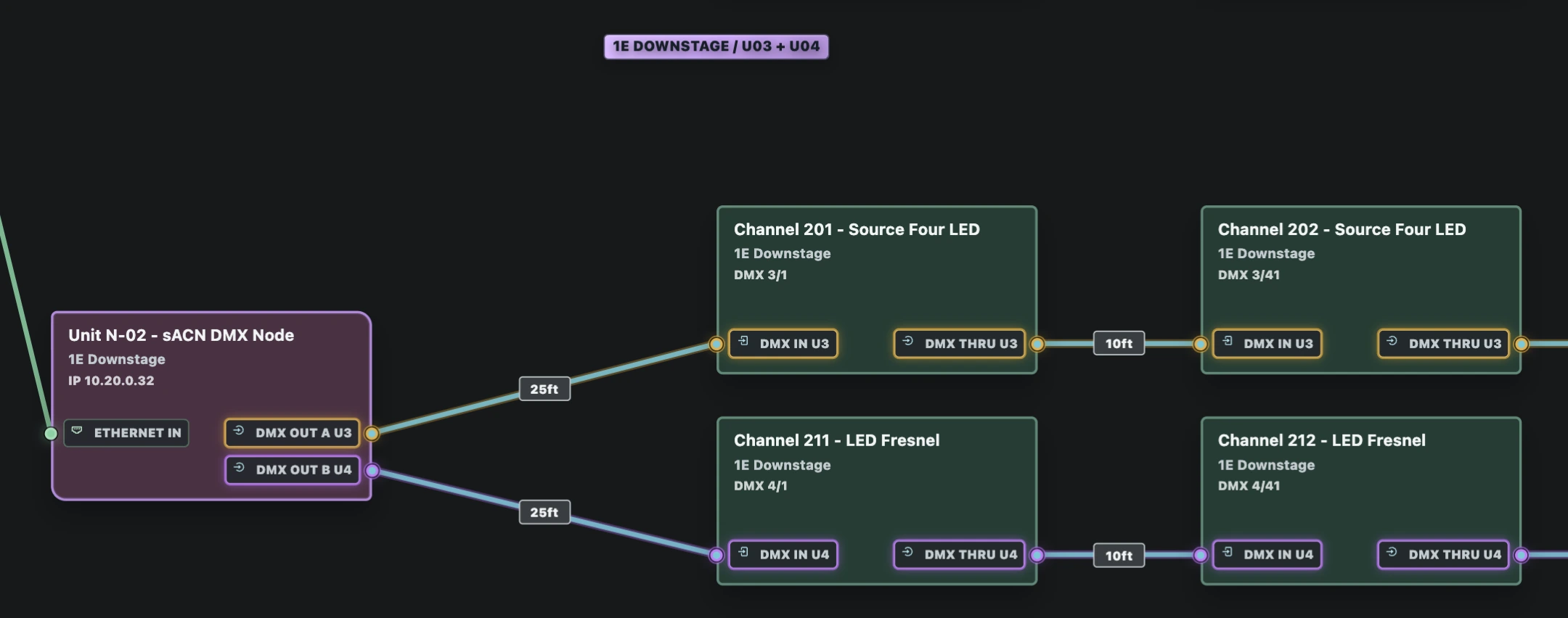
System Map
Follow data from the console to the last fixture. Trace power from the venue service through the distro, breakout and circuit to the fixture’s power input. See which fixtures share a circuit and what load they put on it.

Lighting paperwork
Loom is lighting paperwork for theatre and live events. Work out the patch, follow the cable, and print what the crew needs from the same show file.
Get the preview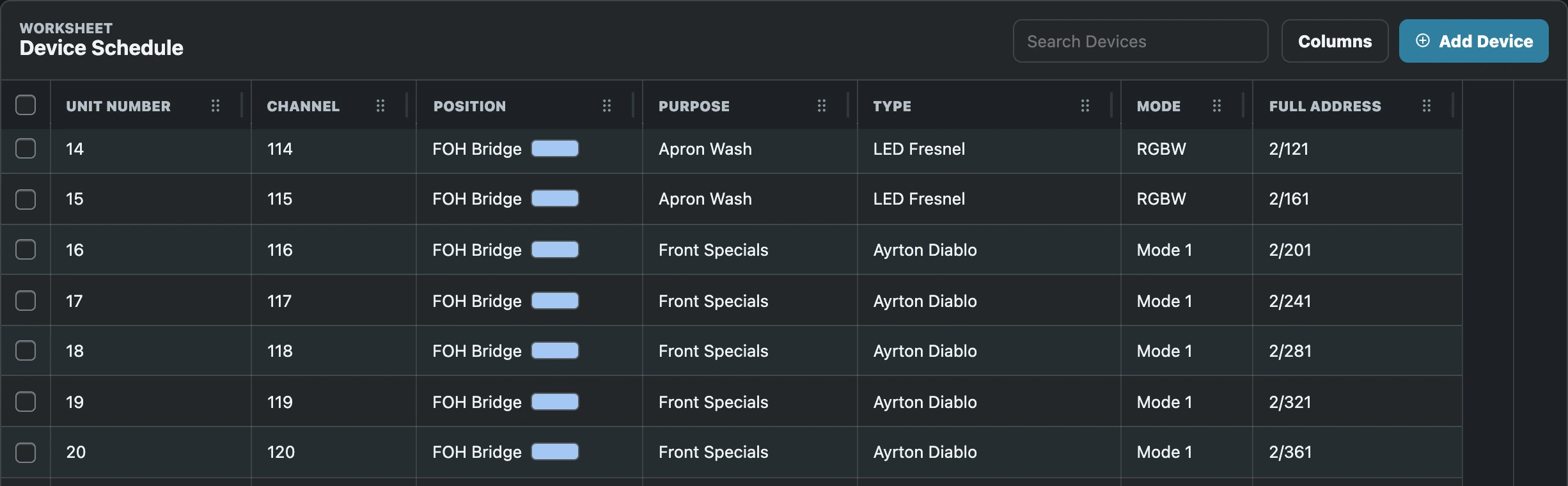
Duck Lake is our sample lighting rig, from the front-of-house bridge to the deck.
Follow data from the console to the last fixture. Trace power from the venue service through the distro, breakout and circuit to the fixture’s power input. See which fixtures share a circuit and what load they put on it.
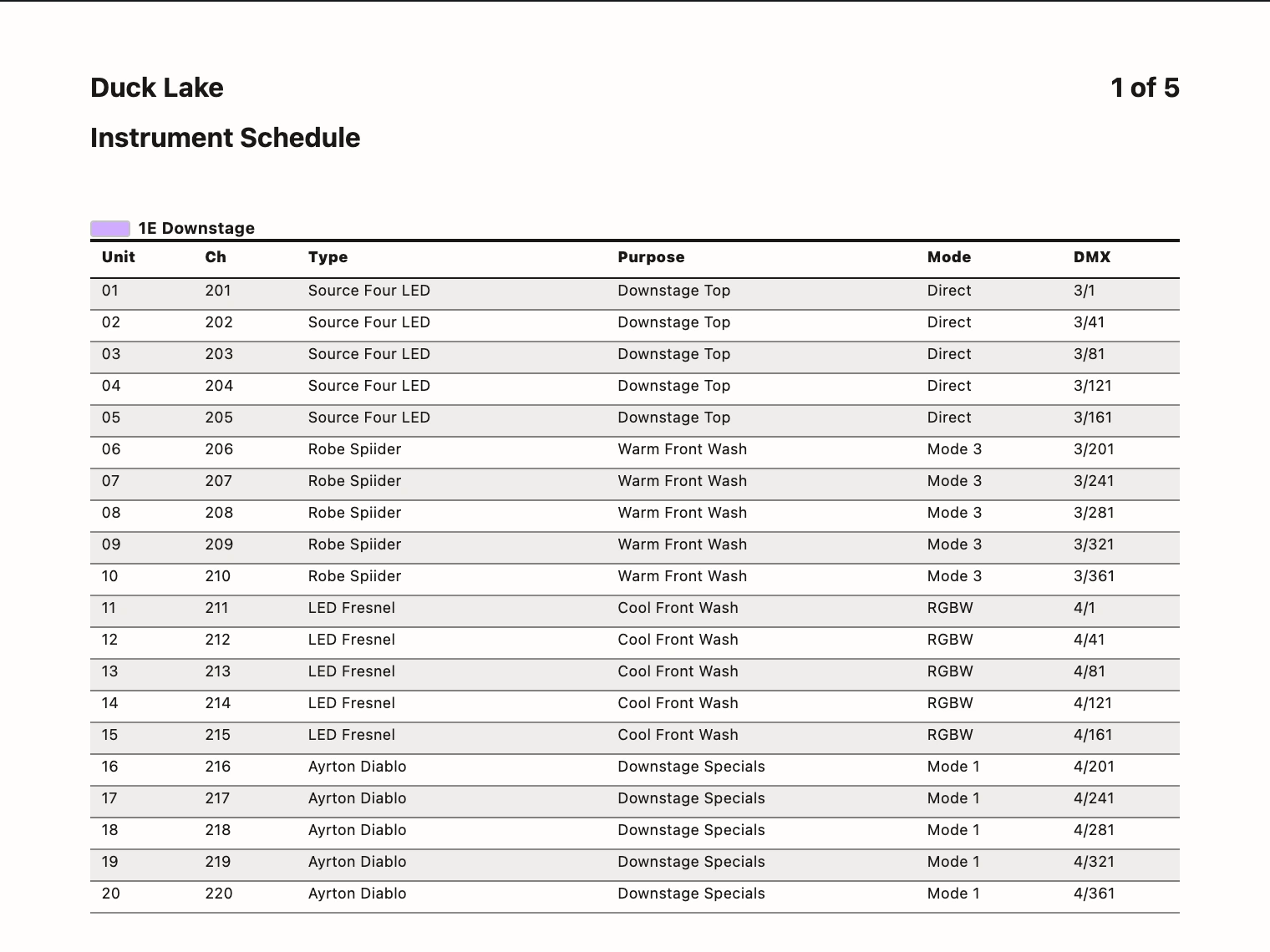
Print an instrument schedule for the hang, a cable count grouped by type and length for the shop, or a run schedule that shows where each cable goes.
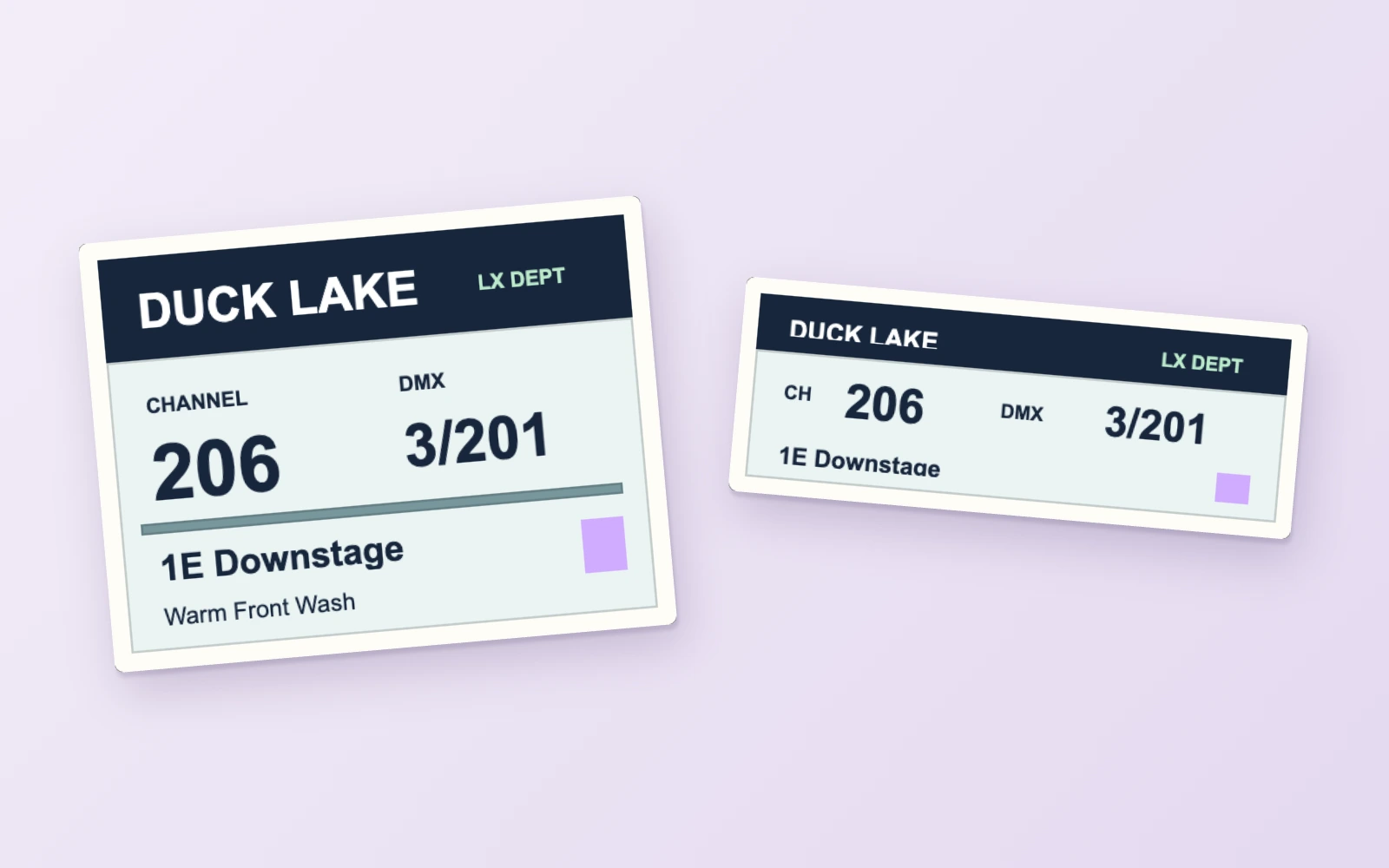
Print fixture labels from the show. Lay out the channel, DMX address and position so the crew can read them at a glance.
Bring in an MVR from your preferred lighting design or CAD software, such as Vectorworks Spotlight or Capture. Loom also reads Vectorworks XML and CSV fixture lists. When a revised plot lands, choose which fields to update.
Export patch XML for grandMA2. For Hog patch XML, choose the fixture catalog that matches your Hog 4 or Hog 5 library. Use MVR to bring fixture and patch data into grandMA3 or ETC Eos.
A .loom file lives on your computer. Copy it to the show drive, send it to the next crew, or put it away until the revival. When you need to work together, host a session and let the crew connect.
Public preview
Preview builds are available for Apple silicon Macs and 64-bit Windows PCs. Pick a build and read what’s changed on GitHub.
View preview builds